

For Internet Users
MY ISP
Keep connection usage, package details and payment records close at hand for customers.


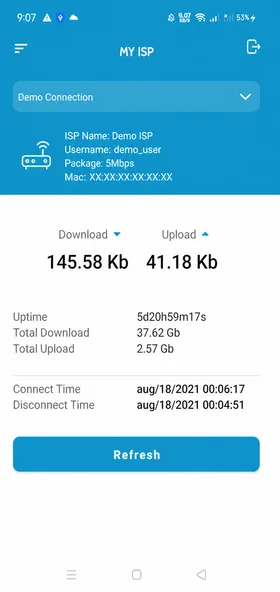
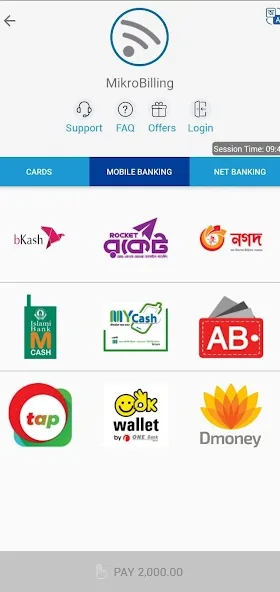
Example screens with personal details hidden.
Create monthly bills, keep payment records and follow your team’s work. Handle your ISP’s daily tasks with MikroBilling.
Used by 300+ ISPs
Your work at a glance
From bills to daily tasks
Billing and collections
Bills and payment records
Customer records
Connection and service details
Staff tasks
Duty and service tickets
Less searching. Easier to follow.
The daily work of running an ISP
Who still owes a payment? Which customer has paid? Which service issue is waiting? Finding the answers in separate records or tools adds to your work.
Keep bills, payments, customer records and service tasks together in MikroBilling, so you can find the details when you need them.
Help with everyday tasks
Reduce repeated work and keep customer records, collection details and reports close at hand.
Set up recurring billing so you do not have to recreate the same bills each month.
Review bills alongside payment records to understand your collection status.
Keep the information you need from a new connection through ongoing service.
Review billing, collection and customer reports to plan your next steps.
Set permissions so employees can see the information and do the work their roles require.
Manage connections, payments and customer service as part of your daily work.
How it works
Keep the details you need from setting up a connection to providing ongoing service.
Get a Demo on WhatsAppAdd the customer and connection details you need.
Manage your monthly billing process in the software.
Review customer payments and collections alongside the relevant bills.
Update customer details and service records after the connection goes live.
Your ISP at a glance
Review the information you need about bills, payments, customers and your team’s work together.
Use those details to decide what needs attention without searching through separate records.
Less searching. Easier to follow.
Work summary
Essential information, in one place
Customer and staff apps
Customers view connection and payment details. Employees manage duty, tickets and field tasks.
Keep connection usage, package details and payment records close at hand for customers.
Example screens with personal details hidden.

Start and finish duty, check service tickets and report field work.
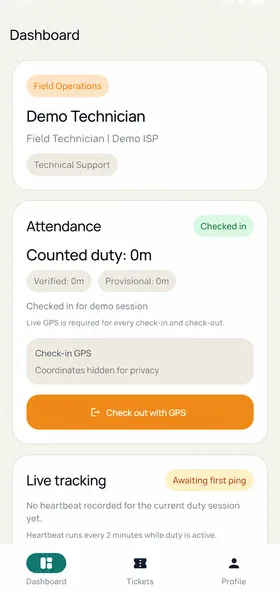
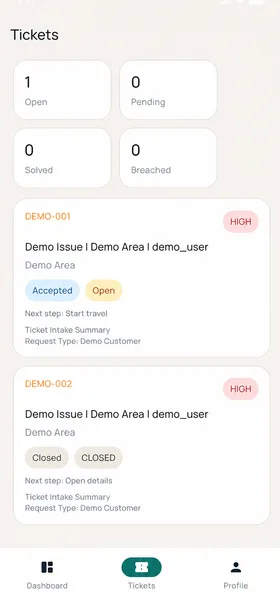
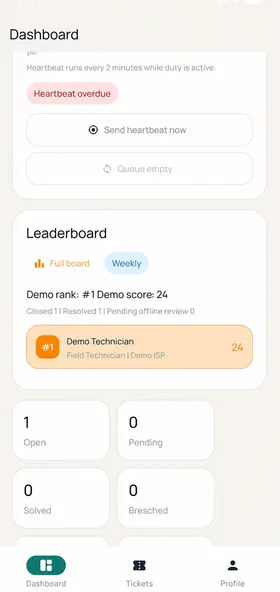
Example screens with personal details hidden.
Customer bill payments
Customers can pay their bills through supported cards, mobile banking, internet banking and e-wallets in MikroBilling.
Customers can choose the supported method that suits them.
Explore Payment Options
Swipe horizontally to explore all payment channels
Why MikroBilling
Alongside billing, your ISP needs to manage connections, service tickets and employees working in the field.
MikroBilling provides web software and separate customer and staff apps for these tasks.
Manage customers, bills and connection tasks for your MikroTik-based ISP.
Contact the MikroBilling team on WhatsApp for help.
Customers view connection details. Employees manage duty, tickets and field tasks.
ISPs using MikroBilling
300+ ISPs
use MikroBilling for their everyday ISP operations.
Plans
Every ISP plan includes the same features. The difference is how many PPPoE users you can manage.
Your time matters, too
After a day of checking bills, finding payments and asking for task updates, it can be hard to make time for your next business decision.
Keeping the details together reduces repeated searching. You can review the records and make decisions while employees handle their assigned work.
MikroBilling is built to make these everyday tasks easier.
Every ISP Owner Deserves a Better Life.
See it before you decide
Tell us about your customer count and current setup on WhatsApp, then talk to our team and see the software in a demo.
Get a Demo on WhatsAppBring your questions about billing, collections or your team’s work.